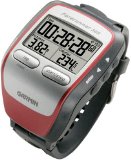
 I’ve had my Garmin Forerunner 305 for 2 weeks now and have been quite pleased with it. A few people have asked me for a review of the unit, so I’ll do the best I can.When I first opened the box, I put it on the docking station plugged it into my DC inverter in my car so that it could charge on the way home from REI as I wanted to use it that day and it was supposed to charge for a few hours. After I got home, I plugged it in and it was ready to go in no time. I turned it on, took it outside and it acquired a signal pretty quickly. I browsed the instructions while waiting for it to charge, but didn’t thoroughly go through them.There was no configuration required and I started my first run by strapping on the heart rate monitor (I read a tip that said to put water on the monitor before putting it on), putting the monitor on my watch and I was off. There really was no configuration needed to get it going. It seemed to keep a signal and gives me the data I need to train (current pace and heart rate are about it).I’ve read some complaints about the unit from others in that it doesn’t keep a signal, the heart rate monitor doesn’t work, etc. My unit has performed flawlessly and keeps the signal all the time; I don’t run in wooded areas and there is pretty much a clear view of the sky. Also, the heart rate monitor works fine; another complaint I’ve read has to do with the heart rate monitor not registering when the GPS unit is placed on bicycle handlebars or on a crossbar on a boat. Since I run with it and it was designed for running, it works well. My only problem with the monitor was that I didn’t wet it down one day so it didn’t start registering until I had worked up a good sweat.If I wasn’t a techno geek, I’d stop here as the Forerunner tells me my pace, distance, and heart rate which has been helping me train. One of the reasons I went with the Garmin device is that Garmin announced Macintosh support for their products. The Forerunner comes with Training Center software which currently only works on Windows; I haven’t bothered to install it as Garmin’s subsidiary, MotionBased, put out a beta version of a Mac plugin that uploads data from the Forerunner to the MotionBased website. I love data analysis and this site has more data than I could ever need.The Forerunner has so many options, I don’t even know where to start. I configured my main screen to show my pace, time, and distance. I then configured a secondary screen to show my heart rate and average pace. It took me a few days to figure out that I could reconfigure the screens as I didn’t bother reading the instructions. The device does limited navigation (to get me back to where I started), handles multiple types of activities, etc. I currently have no use for lots of these options, but I’m sure I’ll discover them when I need them or I get bored.I’m quite impressed with the device; it appears to give me accurate information about distance and time. I’m not sure what else I could ask for in a device. I’m definitely giving this device a thumbs up; it makes me excited to get out and run.
Pros
- Easy to use
- Large readable display
- Reasonably accurate distance tracking (I did compare a run with Google Earth and found it to be close)
- Lots of options
- Not too bulky for what it does (looks better than the Twinkie shaped Forerunner 301)
- Partial Macintosh support for MotionBased; more is coming
- Can charge over USB
Cons
- Current desktop software is Windows only Update: Mac software is available. Read my first impressions of it.
- Training partner is annoying to me, but maybe when I get better it won’t bother me as much
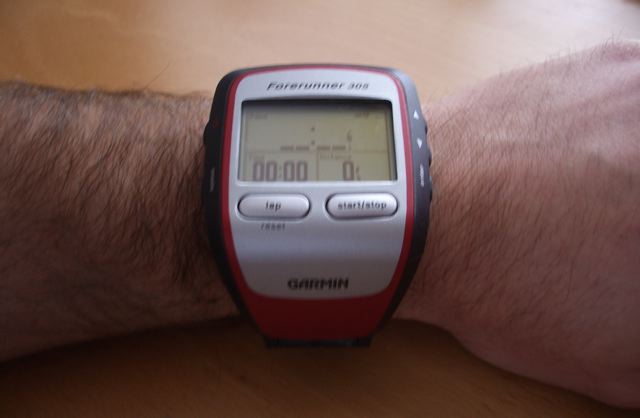
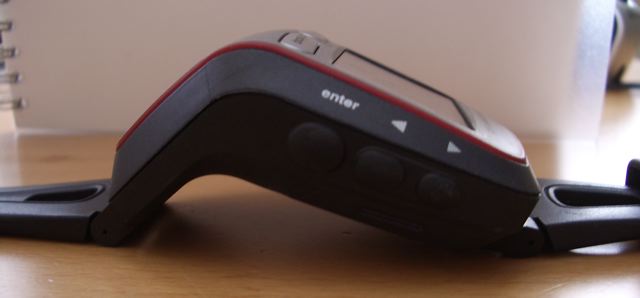
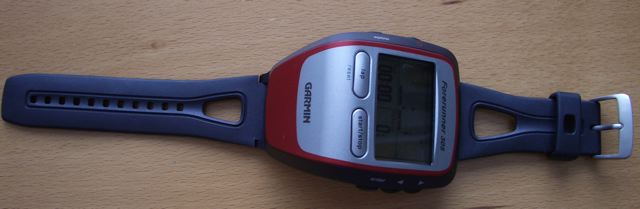
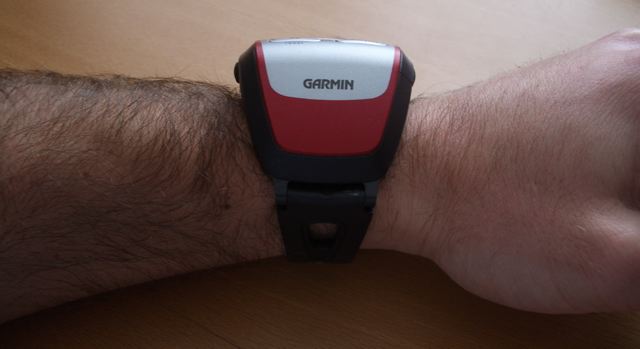
Some pictures of the unit are at the end of this entry. If anyone has specific questions, please post a comment and I’ll try to respond.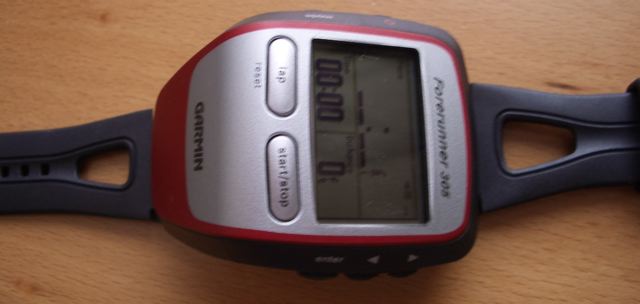
Hi Rasmus,
No, the elevation function is still not working. It seems to aggregate the +/- 30 ft GPS fix error rather than intelligently smoothing/correcting like it does with distance. Today’s hike had me 170 ft below sea level. Even with no bad data points and smoothing enabled the elevation numbers are at least 2X what I’d expect. The elevation profile for an out-and-back hike is also significantly off, so the 305 isn’t even building a consistent error.
There is a program called SPORTTRACKS that says it can read garmin 305 data and has a plugin that “…corrects the elevation of GPS tracks using SRTM elevation data, which is automatically downloaded from the official SRTM download server….” Use google to find it (disclaimer: I don’t use sporttracks software, and don’t care that elevation is obviously wrong).
Aside: for hiking the calorie function seems about right — just slightly more than 100 cals / mile.
After almost 4 years of use, my Forerunner 305’s battery died. It has served me well, but stay tuned for my updates on its replacement.
Scott,
My battery died, on my Forerunner 305, after almost 4 years also. Let me know what you do as far as replacement. I’ll keep looking and pass the word once I find out.
I bought a Forerunner 405 and am pretty happy with it. When I get a chance, I’m going to write a review.
Good to know your 305 lasted almost 4 years 🙂 I get mine in the mail tomorrow! Yay. After lots of research and bloggy advice I decided to go with the 305 vs. a newer version, less problems was the verdict. Thanks for your review, and enjot your new Garmin… what was his name?
I don’t name my devices as I’d never be able to keep them straight! I went with the 405 for a number of reasons that I’ll eventually write a review about. In short, the wireless connection for downloading is great, I like how it charges better (a clip that doesn’t pop off), it has a battery charging gauge, I wore it while walking around San Francisco and didn’t look too much like a dork, and I like the side buttons for starting/stopping and resetting it. However, so far, the bezel is bit of a pain. I’ll try to write my review soon.
I purchased the Garmin Forerunner 505 just last week and have had a chance to use it everyday this week. It is exactly what I expected and more. For starters, let me tell you I am a beginner so I can not verify that all of the data collected (pace, distance, hr) are accurate, but they seem pretty close to me. I jog around a lake and I did a google map point to point search and found the Garmin distance was within .2 miles of what Google maps told me. As stated earlier, I am not a beginner. My short term goal is to work my way up to running nonstop for half an hour and work my way up from there. I hope to accomplish this through interval training doing the run/walk method. Guess what?…. You can actually set the Garmin to beep after certain distances or time to let you know you are now in the next interval. I don’t even have to look at the watch… just wait for the beeps. Its incredible. The heart rate monitor seems pretty accurate. Sometimes, I will stop to check pulse and it seems like the Garmin is always within 5 beats of my physical check. Just make sure you have the strap on right side up. One day I had it on upside down and my numbers seemed a little skewed. I love the fact that I can customize what information needs to be displayed on each of the screens. Since I use the interval feature, the first screen will contain information about the lap…number and remaining time. The second screen, I have customized to include additional information about that lap, and the last screen has info about the overall total. I have a whole other screed which I don’t use! Overall, I think its a great product which will give you a wealth of information whether your the beginner or ultra marathoner.
Hi there, can I ask if the Forerunner 305 can be used as a day-to-day watch as well (telling the time) and what chest size can the heart monitor go up to?
Thanks for your time on this one!
Take care,
Andrew
The 305 is a bit big to wear on a day to day basis and the battery isn’t going to last long. The 405, however, can be used as an everyday watch (still a bit big, but more usable). In addition, the 405 doesn’t always have to be in GPS mode whereas the 305 can only tell time when the GPS is on thereby reducing the battery life.
As for the chest size for the heart rate monitor, I’m not sure. It fits me, but I’m not particularly large.
I am a techno dinosaur. I can use the basic features but have not been able to access the elevation feature. How do you make it work?
Thanks,
Larry
Just like Lauren wrote. My own Forerunner 305 stopped his runs after 4 years. 😛
Hi Scott I just got my brand new 305 today and started playing with it. Tomorrow I’ll take it for a test run.
One quick question: All my running watches to date also showed the normal time (i.e. time of day) and some even gave me the date! I could not find any info about this feature!!! it seems you are only supposed to wear it for running? Even then it might be useful to know what the real time is!
Did I miss some option somewhere? I would be very amazed if such a fancy gadget can’t just give you the normal time of day and date!
On my first run I also noticed that it doesn’t give me a clearly visible heart rate! As far as I could tell my heart rate was in extremely small numbers on the upper right hand corner of the main running screen. The time of day could only be seen in the same size ridiculously small numbers on another screen!
Well, that’s a big difference from all other running watches I’ve used so far. I did my first run with my Garmin on my left and a normal time watch on the right!!!!!
After running I checked out the History log and was impressed with the meticulous log of my heart rate and my pace and distance. It even had my calories expended!!!!!
By the way how does it compute calories? Does it factor in heart rate, age, duration and distance? Or is age doesn’t matter? or possibly distance doesn’t matter either?
Would it compute my calories during my yoga session where I stick to my floor mat?
Those who want to see time and heart rate in larger type should check out instructions on changing the display. One can view anything! Very helpful for me, as I run without my reading glasses.
https://buy.garmin.com/support/searchSupport/case.faces?caseId={158ff8c0-1b76-11dc-eb67-000000000000}
I had no problems with the battery and I use it like an everyday watch too!
I’ve always wanted one of these!! Do they have update available for Macs now? @_@
I stopped using my Garmin Forerunner over a year ago. I switched to using Runkeeper on my iPhone. I also have a heart rate monitor from Wahoo Fitness that connects to my phone.
Is it true that forerunner’s battery life is limited in time and the device will become useless because the battery can not be replaced?
I have my garmin since Jan 2011 and I use it for runs, approx 3 times a week (35 km/week approx). This is the first time I can not use my Garmin. It goes off as soon as the welcome message on the display disappears. Is it a sign that the battery’s life is going off? What can I do?
Would somebody help me with this issue?
Thank you so much!
You should contact Garmin to see what they say. I stopped using my Forerunner 405 last year when I switched to RunKeeper on my iPhone. One less thing to charge and I don’t have to remember to sync the data.
Yes, there is an indoor mode that you can use to just track the time and heart rate monotir, no GPS. And yes, when the watch starts to search for satellites, you can move past that part and it will go into Use Indoor mode and stop searching for satellites to use.