Mini Review of Garmin Forerunner 305
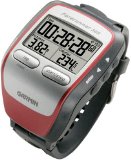 I've had my Garmin Forerunner 305 for 2 weeks now and have been quite pleased with it. A few people have asked me for a review of the unit, so I'll do the best I can.When I first opened the box, I put it on the docking station plugged it into my DC inverter in my car so that it could charge on the way home from REI as I wanted to use it that day and it was supposed to charge for a few hours. After I got home, I plugged it in and it was ready to go in no time. I turned it on, took it outside and it acquired a signal pretty quickly. I browsed the instructions while waiting for it to charge, but didn't thoroughly go through them.There was no configuration required and I started my first run by strapping on the heart rate monitor (I read a tip that said to put water on the monitor before putting it on), putting the monitor on my watch and I was off. There really was no configuration needed to get it going. It seemed to keep a signal and gives me the data I need to train (current pace and heart rate are about it).I've read some complaints about the unit from others in that it doesn't keep a signal, the heart rate monitor doesn't work, etc. My unit has performed flawlessly and keeps the signal all the time; I don't run in wooded areas and there is pretty much a clear view of the sky. Also, the heart rate monitor works fine; another complaint I've read has to do with the heart rate monitor not registering when the GPS unit is placed on bicycle handlebars or on a crossbar on a boat. Since I run with it and it was designed for running, it works well. My only problem with the monitor was that I didn't wet it down one day so it didn't start registering until I had worked up a good sweat.If I wasn't a techno geek, I'd stop here as the Forerunner tells me my pace, distance, and heart rate which has been helping me train. One of the reasons I went with the Garmin device is that Garmin announced Macintosh support for their products. The Forerunner comes with Training Center software which currently only works on Windows; I haven't bothered to install it as Garmin's subsidiary, MotionBased, put out a beta version of a Mac plugin that uploads data from the Forerunner to the MotionBased website. I love data analysis and this site has more data than I could ever need.The Forerunner has so many options, I don't even know where to start. I configured my main screen to show my pace, time, and distance. I then configured a secondary screen to show my heart rate and average pace. It took me a few days to figure out that I could reconfigure the screens as I didn't bother reading the instructions. The device does limited navigation (to get me back to where I started), handles multiple types of activities, etc. I currently have no use for lots of these options, but I'm sure I'll discover them when I need them or I get bored.I'm quite impressed with the device; it appears to give me accurate information about distance and time. I'm not sure what else I could ask for in a device. I'm definitely giving this device a thumbs up; it makes me excited to get out and run.
Pros
- Easy to use
- Large readable display
- Reasonably accurate distance tracking (I did compare a run with Google Earth and found it to be close)
- Lots of options
- Not too bulky for what it does (looks better than the Twinkie shaped Forerunner 301)
- Partial Macintosh support for MotionBased; more is coming
- Can charge over USB
Cons
- Current desktop software is Windows only Update: Mac software is available. Read my first impressions of it.
- Training partner is annoying to me, but maybe when I get better it won't bother me as much
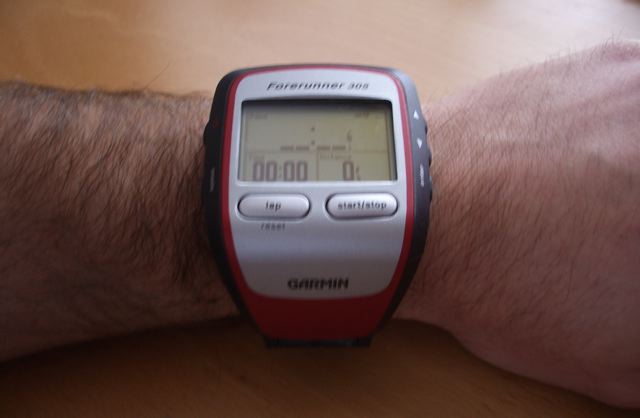
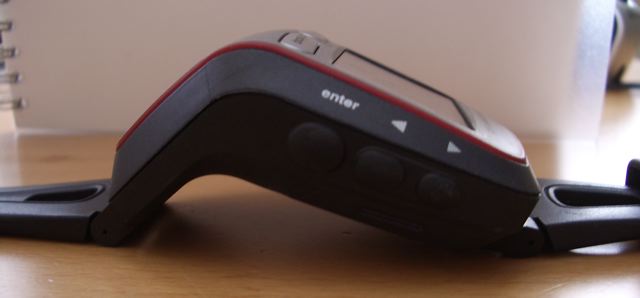
Some pictures of the unit are at the end of this entry. If anyone has specific questions, please post a comment and I'll try to respond.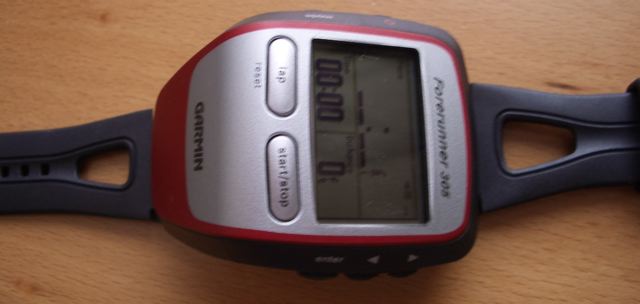
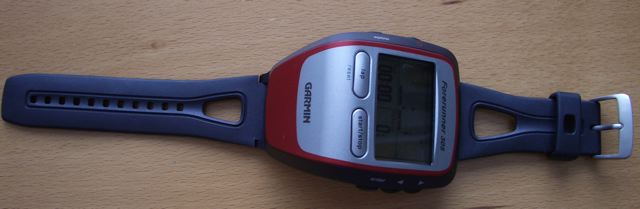
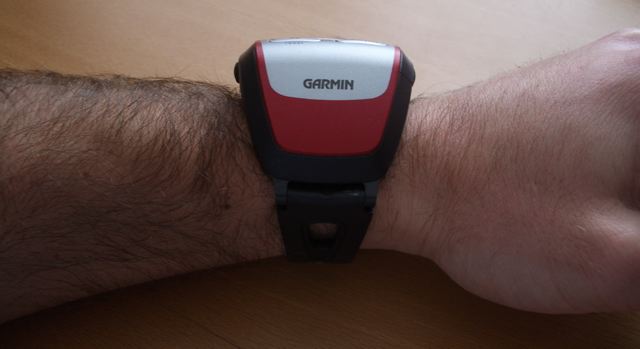
Comments
Thanks for the review, Scott!
How accurate (and responsive) does the altitude reading seem to be? (I’ve heard some complaints about the usefulness of the 301’s altimeter.)
What is the battery life like?
I haven’t really looked at altitude on the device, but when I upload the data to MotionBased, my starting and ending elevations are never the same (I don’t use MotionBased’s gravity correction). The difference is 20 to 50 feet. However, the uploaded data seems to correlate to how steep I think the hills are!
As for battery life, the longest run I’ve gone on so far is 1.5 hours and it held up fine. I leave it in the cradle when it’s on my desk, so it’s always charged. Another nice thing is that it trickle charges over USB so I just leave the cradle plugged into my computer all the time without having to have another power brice.
Nice review, Scott
I was actually looking forward to the Forerunner’s training partner function. But it sounds like in your review that it not very good. Why is it annoying?
What kind of settings are available when using the training partner function?
It’s annoying to be because I don’t like losing to a computer! So, it makes me run faster than I normally would go at that point in time. I’m running < a 9 minute mile even with waiting at traffic lights, so I can be on target with the virtual partner in the aggregate, but at times, I’m far behind and I don’t like that. To each his own…I just like to see my results at the end and not during my runs, at least not now.
Thanks for the review Scott. I’m upgrading from a normal Polar model to this one…and I’m really excited about finally getting it in the mail.
Do you know if you can change the readings to kilometres instead of miles? Might be a stupid question, but it would be handy to have kilometre reading instead of miles (as i’m from Australia!).
Thanks again.
Janine, yes you can change the units to Metric. I’m really enjoying it and I think others will as well.
Is the rechargeable battery replaceable?
Tom,
The rechargeable is not user replaceable. I’m not sure if Garmin would replace it.
I’ve used my 305 for 2 weeks now. I have serious doubts about the accuracy of this device. If it is cloudy (as it is quite often in Britain) the GPS accuracy is +/- 21meters! If you apply this error rate for every update (once every second) you get huge variations in speed (as you can clearly see when you download the data into the training Center).
The best accuracy I got was +/- 10m (in the middle of the park, soccer field). As for the elevation accuracy, it is slightly worse: sometimes (on the same route) it shows +1400m, others +820 this is in Cardiff, Wales, UK).
Heart rate is accurate (I measure it against Polar 610S, 810S). Calorie calculations, however, are way off! 90 mins on a Polar showed roughly 1000 cals. I did the same distance in the same time, but Garmin showed 2300 (!!!). Geez! talk about rough approximations! :)
So, I wanted to ask you wheter your device shows a similar behaviour. I want to find out whether mine is ‘broken’ somehow… ;) I sent 4 emails describing the problems to Garmin tech support, cust service, etc., both in the States and in the UK, but for 2 weeks I haven’t got any reply. God help me if I ever need this unit serviced.
I appreciate any input you may have.
Cheers, Mat
Hi Mat,
The device seems fairly accurate. I think that the cloud cover may affect the unit as I’ve seen the device take minutes to acquire a signal on cloudy days. However, most of my runs have been on sunny days. The specification for the GPS chip give it an accuracy of <10m and <5 m SBAS (space based augmentation system, which I guess uses ground base transmitters to improve accuracy). So it would appear that your best accuracy is on target. You might want to look at the screen that shows which satellites have been locked on to see how many you have; the more you have, the better the accuracy. The calorie calculations, as I understand it, are based on weight and distance and not speed, so I’m not sure how it could be that far off, unless you entered your weight incorrectly. For my 2.5 hour run today, it shows 2638 calories.
I hope that Garmin can give you more information about accuracy and if your device is broken. I do notice, however, that when we walk our dog (same route), the numbers range from 1.4 miles to 1.5 miles which is a bit off at times.
Hi Scott,
I am thinking about buying the 305 but I am concerned about it’s performance under trees. Have you any idea about this? (I know you said that you don’t run in woods) Since I run mostly in wooded areas for my longer runs, it is essential that accuracy is not that bad.
Thanks,
Dirk, Belgium
Hi Dirk,
You might want to try to buy it from a company that has a good return policy and try it out. There are only a few trees I run under, but not for any length of time, so my experience isn’t going to be much help. If it does handle trees well, I think you’ll enjoy the other aspects of the device.
How good is the Motion-Based beta version for Macintosh? I need to upgrade from my old timex/GPS system and the idea of having an “automatic” running diary appeals to me. I bought the Polar RS-200 and was quite disappointed to find no compatability with mac (I’m still trying to locate a pc w/ built in microphone to see how that works…). The website says that some parts work but some don’t –can you use google earth w/ the beta program? Can you charge the device using the usb from you mac?
thanks for you review. Dan
Hi Dan,
Yes, you can charge the Forerunner 305 via USB (I do it all the time). The Google Earth part of MotionBased works fine on the Mac and all the information I find useful works fine on the Mac. I haven’t played much with it on Windows, yet (they’re upgrading the server as it is too slow at the moment), but the stuff that does work on the Mac seems more than adequate for my uses.
Howdy Scott- Thanks for the review. (2.5 hour run…training for a marathon?)
I’ve had mine about 3 weeks. Yes, I also think the calorie count is a bit high (certainly higher than my 201). But I thought the heart rate was calculated for calorie burn. But your understanding is it isn’t. I’d like to find out for sure.
One problem I’ve just recently been experiencing is flaky USB connections. I initially blamed my laptop, but narrowed down the problems to only my 305. Then I noticed one of the electrodes on the back of the watch is discolored and somewhat corroded. So I scraped it off with a knife, then ran a pencil eraser over it. Wal-la. Fixed. Ran today, discolored again. I fear there is some conductance occuring and causing a short or something. Does your 305 have the same discoloring (4 electrodes on back…further to the left).
Anyhow, I’ll keep looking for a cure to my problem. Thanks again for posting your experiences with such a new device.
-Benson
Hi Benson,
While I do see the exact same issue with the same contact, it doesn’t seem to be affecting USB connections. I think you’re already aware of the thread over at the MotionBased forums talking about this issue. It seems odd to me that it only happens on one contact. For now, I’ll just leave it be and clean it off periodically if I have problems.
(Yes, I am training for a marathon.)
Help! I am very close to returning my forerunner 305. Heartbreaking as I was so excited when it was finally released. I have had my forerunner for over a month. I have spent hours in that month trying to get assistance from Garmin. First, I install Training Center only to find it has my data but no maps or graphs. I email Garmin, they tell me to reinstall. Still no maps, email again, they tell me to download the update, still no maps. I wait on hold for 30 minutes for Rep., he tells me that maps and graphs are an additional program I can purchase for $120 CDN. For the price I paid.. that’s not right! So I go to motionbased to use the maps. My data won’t upload. Motion based reps (they are great!) tell me that no gps data has been recorded from my device. I admit to having problems with getting a satellite but of the 18 runs currently in my watch, almost all had connected. Motion based recommends that I contact Garmin for assistance. I laugh… so here I am more than a week after emailing Garmin and no response. Does anyone have any suggestions? Anyone planning on purchasing the forerunner, make sure the store has a return policy that works for you… I may be testing mine out shortly. Please help!
Hi
I have just bough the Garmin 305. As I use a Mac, I havent yet used the software that came with the watch but I have been using MotionBased. I have some questions. Firstly, a run I did today was said to be 11.8 miles by my watch, but when I uploaded it onto MotionBased, the calculation changed to 12.55 Miles. I am now unsure which to go by. Whilst on this run it is only a minor issue, i am worried about the accuracy of longer runs.
Also, when I ran under a bridge momentarily, the device paused itself (I have the auto pause function on) even though i was still running at sub 8:00/pm.
One final issue - the calories burned. Does the heart rate monitor have any impact on this at all. It’s just i find it impossible to believe that a 12 mile run in 1:46 burned 2600 calories.
Any thoughts or advice would be great
Many Thanks David
I have been using the Garmin 305 for several weeks now. I can tell you - it’s an awsome machine. Having owned the Suunto X9 - which was a huge disappointment because of low GPS sensitivity - this works in a breeze - even on an overcast day in Iceland! Very happy with MotionBased, unsure about the altitude accuracy though.
Hi! The Forerunner 305 is my first GPS and I love it! I’ve borrowed other Garmin’s before and I’ve really benefitted from the Virtual Partner. Unfortunately, the VP on my 305 does not come up when I use Workout Courses or Quick Workouts. The VP option is “ON”, but it does not come up on the screen when I start my workout. Any suggestions?
Hi! I have used a FR305 for about 2 months now and love it. The elevation is a bit off, but I don’t use it so it doesn’t bother me. I have found that if the heart monitor contacts are not making good enough contact with your body the watch records a HR way above what it should be - the cure being making sure the contacts are wet and I have had to press the strap into my chest a couple times to get good connection - not a problem after I have worked up a litte sweat. You may also want to try out a free program called SportTracks available for download - I think it beats anything else out there for ‘slicing and dicing’ your workout data.
-Sandy
I read some comments regarding Altitude..accuracy. Lets call it what it is elevation. Elevation is only as accurate as your base data you are calibrating the incoming points to. What you get in elevation profiles is often points as they are interpolated from draping this info over a 1:24k quad..ie motionbased. Good for general purpose but not really that accurate. If you want consistancy you need VERY accurate base information. That is not what Garmin or other general consumer gps providers have or will provide for minimal price. In general many communities have developed accurate centerline coverages which have good elevation data from 1 foot to 3inches. So try your local county or city engineer if you want good profies in urban areas. Be prepared to have software to process and create a surface for draping your points. As for trail that is a bit more tricky for highly accurate for a consumer device. Better Grade Recievers have the ability to gather more accurate information which includes elevation.
These units are a lot of fun and give good information (I use one as well). But being in the GIS Business I understand accuracy..it is fun to bring this information and share it with folks I train with.
Just my two cents..sorry if this went on a bit long
I am seriously considering purchasing a 305 Forerunneer, so to all of you who have given their input, “thanks.” There seems to be some concern with the reliability of the 305 when using it in wooded areas. I am in the military and use some fairly expensive equipment for navigation. We still have problems in some “wooded” areas. Can’t be helped, at least not with a device this size. Even if you ran with a “full size” GPS you would probably encounter some blanks or gaps. Same goes with the urban trees. In reference to the metal contacts on the back: Has anyone tried to put tape or something over the contacts while working out to help preserve the integrity of the metal? Not sure if this affects the functioning of the watch when working out. Has anyone compared the 305 to the 205? I already have a heart rate monitor, so not sure if I need to buy the more expensive 305. Thanks for any and all comments.
I’m a “305 veteran”, over 14 weeks of {almost} daily use. Here are some thoughts:
- Calorie burn - definitely off the charts. As a rule of the thumb, divide the number by 1.5 and you get a reasonably accurate picture. Also do not forget to re-set your personal details (e.g. weight if fluctuating). Anyway, my opinion is that calorie burn is not a clear measure of your workout, it is an estimate anyway, regardless of the device you’re using (if you want accuracy for that, wait until they invent nano-probes that would record ATP breakdown and resyntethis in every cell of your body):). Trust me, use your HR data instead if you really want a true picture, not a motivational ‘my God I’m a nuclear reactor, if I keep training like this they’ll use me to lit up Chicago’ :)
- Speed/Elevation data. Speed is reasonably accurate only when you get more than 6 sats locked (strong signal on each of them). Otherwise it is off by a variable +/- 40 to 60%. On a cloudy day and/or normal tree coverage (i.e. a park, I’m not talking here about the amazonian jungle) accuracy drops big time. What Garmin sais on the webpage/305 Manual is pure fiction. So my sincere advice is: if you need speed accuracy, do not rely on the 305. Run on a known length track, and measure the time, and then do the math ‘manually’. Also, the position of the watch/antenna does matter: keep the antenna towards the sky. Elevation is … just a joke, but to be fair, for such a small device it is a wonder it does give you sometimes a +/- 100m accurate data. On the other hand, bear in mind that not even military GPS (the system they use to guide their missiles and other thingies like that) is 100% accurate, otherwise you’d have automatic landing on commercial/military aircraft.
- Connectivity/Software. My unit works absolutely fine in this respect (WinXp Pro SP2, on an Athlon X2 Nforce 4 motherboard). USB/unit contacts are working fine although they are blackened. My advice would be NOT to attempt to clean them as you’d probably damage them. If you want to keep this unit working forever :) wear it over your sweat-wipe wristband.
All in all, I’d give it 3 stars ot of 5. It’s a nice toy, but my gut feeling is that it was developed with the recreational/motivational aspects in mind, rather than for accuracy. That is fine for me, since I’m not training (anymore) for competitions. If you do however, be VERY careful when relying on the data obtained with this device.
PS: Sorry for the long post.
I have a FR305 and it works fine. Not sure about how the calorie burn measurement works, but I have notice this: If I have it on bicycling and walk it gives you a result witch is much lower to what I get on the same leg if I have it on Running and walk. I think it is possible to fine tune this, while you can set the pace you are running in. Have any of you tried that? I have another Garmin GPS and have found that the forerunner is as accurate as the handheld. Since the device do not have barometric measurements of the altitude it will show data that can be a bit far off. I have found the device to be pretty accurate. For those that are complaining about the accuracy you have to blame the US military. It is the US Government that owns the satellites and can move them to where they find the best use for them. They have also made it not so accurate for consumers and dead accurate for them selves. I live in Norway and use bicycle, walk and goes skiing in the woods. When there are to much heavy trees any GPS will loose reception and I find the FR to work the same as my other GPS.
Great product I love it!
Samuel, I agree that every GPS system on the market has limitations, and in this respect FR305 is as good as (perhaps) any bigger device. I was just arguing that accuracy is not what it’s supposed to be according to the device’s manual. The EU plans to have its own GPS system, let’s hope it will be better than the US one. As for the tech support, I fully agree with the people that are completely dissapointed with it, since I’ve experienced it myself.
Hi Scott,
Really impressed with your review. Very nice to read up on a product before buying it.
I’m wanting to buy this in the UK and wondered if anyone could recomend anywhere to get it from with regards to good returns policy or fault rectification.
I’ve just called Garmins support line several times to find out how good they are and had no answer.
Thanks for the help
Sam
Hi Scott,
I purchased my Garmin in May 2006. I have had no problems with it whatsoever also. I love the Free motionbased site because I can export to google earth maps. That’s cool because since I do most of my riding and running on trails…
Sal
Just found the SW updates for the 305. These may help some of the glitches and likely other will follow. Write Garmin on the Calorie Burn…they should improve it. If enough of us complain maybe they will adjust the algorithm. Here is the web address for the SW updates. http://www.garmin.com/support/collection.jsp?product=010-00467-00
Hi Scott Thanks for review on the Forerunner 305. I am interested in this model but would like to know if it can be used as a pedometer to record the actual distance one walked/jogged from leaving home to returning again. I am involved with Health Walks and Ramblers groups and this would be an added bonus. Many thanks, Gerald
Hi Gerald,
I don’t see why the Forerunner 305 (or 205) can’t be used as a pedometer for you. While it doesn’t record steps, it does record distance (as long as it gets a GPS signal). It might be a bit overkill if you don’t need/want pace, heart rate, elevation, etc.
Hi, thanks for all your comments. Can someone can tell me the average time for charging the Forerunner after a good day out? Thanks!
Has anyone had any experience using the FR 305 with the Cadence device offered by Garmin. If so please offer some input.
I have been using the forerunner 305 everyday for a frustrating two weeks and have only managed to obtain a satellite fix on one run. I have followed the instructions but cant seem to get coverage even in the middle of a large open field with no trees or buildings to obstruct a signal. The ‘locating satellite’ bar fills to ~1/5th full and then restarts over and over. Has anyone else experienced this problem? I have tried contacting garmin without luck. Could my unit be faulty or do I need additional firmware updates? Any feedback kwould be greatly appreciated.
One thing I’ve found is that I have to let it acquire the signal before I start. If I start running, it doesn’t seem to acquire the signal initially while moving. For me, I turn it on about 5 minutes before I go and leave it on my kitchen counter; it does a pretty good job getting the signal even inside of the house.
I have had the Garmin Forerunner 305 for 2 weeks and thought it was great. Problem is now that the unit starts up by itself at random and drains the battery. Weird! Anyone else had or having this problem? Haven’t called Garmin yet…Anyone got some insight to getting through to a real person?
Hi Doug,
Something similar happens to me. I have the 305 plugged into USB all the time and sometimes I just hear it power up. I suspect it has something to do with the electrical connectors on the back; maybe a spark or shock causes it to power up.
I called Garmin and basically got through after 12-15 minutes! They issued a RMA return number to send the unit back. Fearing the worst would happen with the customer service end of things, I’ll see how it goes! I gave this 305 to my son who runs for Mizuno USA and he says it’s great for running in the city throughout the tall buildings with no loss of signal. He does around 80-115 miles a week and now hates to think he’ll have to wait a couple of weeks for a replacement! He likes the database and saves him time away from his running log book that he keeps. I’ll cross my fingers on Garmin coming through now and they did not really like those that chose to buy on the internet! Be sure you have a valid receipt! I’ll keep all posted…
Does the ForeRunner tell time also? Something trivial compared to all the GPS stuff, but I would like to wear it for time also?
I like to Bike a lot, but can I get average speed, and current speed, without buying the cadence sensor?
Garmin 305 Update! I don’t know what all the customer service negatives are about! I sent my “problem child” Forerunner 305 out on a Friday and recieved a NEW one the following Friday at my door! Found a great deal on another one at a bike store in Michigan via Ebay (no shipping charge!) and now have two…
I have had my Forerunner 305 and it starts to drive me crazy! It must be something wrong with my piece of equipment. It has severe problems to locate the any satellite and I have to a master reset every once and then to be able to find any satellite at all, even under perfect conditions (clear sky). Once if finds the satellite it work alright for a while, but most times it looses contact with the satellites again and start to hunt for signals again. Now way to get it back on track again but doing a master reset. I have tried to get in contact with Garmin support in this case, but I have not succeded yet. Anyone who has had similar experiences?
Ulf… Check to see what satellites you are receiving and their strength. To do this look in the manual. Again, I had NO problem getting through to Garmin USA during the morning EST time. They in my opinion gave me MORE than I asked for, a replacement and NOT a reconditioned one. The one I just got in Michigan (through Ebay) also works great as I just used it today (Monday). Hang in there, they are a good training tool!
I am thinking of getting a 305 to help me train for a marathon however, I read on a review that the battery life of the heart rate monitor was only 3 hours. I was wondering if anyone has any other information about this.
I’m not sure what review you read, but it is definitely wrong. The heart rate monitor uses a button cell battery. Garmin gives the specs on the battery as: Battery: 3 years (1 hour per day)/CR2032 (3 volts)
So, it will definitely last awhile.
Scott or anyone, I’ve been using a Garmin Vista for the last couple of years for backpacking and at times running if I’m doing a long run. How does the watch do measuring distance and speed average with a normal handheld GPS? I know not to expect it to be perfect, the Vista has treated me fairly well and I can’t complain, just trying to get a point of reference since I’m use to that. Thanks
Jim
Hi!
I was thinking on getting a Garmin 305. I have a couple of questions that the garmin site cannot answer. Can you record precise(lat/long) point? How many can you store? Are there any know issues regarding the waterroofness of the watch?
Thanks,
Guillermo
I just received my 305 and I had one question. I spin ofter and would like to know how can i measure the calories? The only device I have connected during my spin class is the HRM. I have the GPS function turned off as there is no reception. Any help is appreciated.
Thanks,
I intend to buy the FR 305. My wife runs as much as me. Can you customize it so that it will store data for more than one runner?
Hi Brian,
I’m not sure that you can use the device with more than one runner. It appears to me to be a single user device.
Hi Guillermo,
The device is rated at something like being able to withstand water for 30 minutes or something like that (their website has more information). I did notice a discoloration of one of the contacts from sweat, but all indications seem to be that its normal. The device is storing lat/long as I can upload my data when I’m done and see my run on a map. The number of points it can hold varies; they have a smart recording mode that records a lot more most likely because it isn’t recording every single step.
Hi Orlando,
Garmin now sells a foot pod ($99 which I think is a bit pricey for a device that already isn’t cheap) that allows you to use the Forerunner indoors. This should be able to give you an estimate of calories. Other than that, I’m not sure of a way to measure. As far as I know, calories have to do with distance and your weight, so the HRM will have nothing to do with the calculation.
Wonder how much data (hours) can the device store in detailed format (I am using smart recording). I did´nt sent data to the software and it apparently was erased. Any toughts?
How is the display at night? Can the display be ready easily while running at night and does it have a light?
Hi David,
The display does have a backlight, but I can’t recall ever using it.
how long does the battery of Forerunner 305 last when the GPS is OFF? (I know it works around 10h when GPS is ON, but sometimes i need to use it as a pure HRM to save the battery life, for instance when I go hiking for 3-4 days and I use another GPS)
Ugly coyote,
I don’t have an answer to your question; I didn’t even know that the GPS could be turned off until I looked back at the comments above and found that someone has turned it off.
I want to thank every one who posted, and to Scott for his good reveiw and answering all these questions. I’ll be buying mine the next week or so and post how it’s working for me.
Scott, I saw your post about your run on MotionBased. Just wondering if you were using the lite or standard version, and if standard, what you thought was better then lite.
Hi Tyler,
I use MotionBased standard and actually just signed up for another 2 years (they ran a special during the holiday season). I have about 150 runs/walks in it. With the lite version, I believe you can only view the last 10 activities. In addition, I use some of the saved reports. For me, the ability to view all the activities is key; the Mac software that was just released for the Forerunner is so awful (and late) that MotionBased is/was the only way for me to store my data.
Thanks Scott for the quick reply, it looks like a nice feture so I think i’ll check out the standard version.
Well, Finally got it today and went for a short run and absolutly love it. Will be going on a along 8 mile tomorrow so I’ll check it out again then.
Went on my 8 mile, it works perfect! I found it very accurate, even in the pouring rain. http://trail.motionbased.com/trail/activity/2060815
Is there any reason other than heartrate monitor to spring for the 305 rather than the 205?
Well, you can also use the footpod thing to track your distance inside and the bicycle attachment to track your stats on a bike, with the 205 you can’t.
Hi, I am in Australia and I wonder if anyone knows how the satellite reception is down here. As you could imagine I don’t want to spend hundreds of dollars and then find it won’t work properly. Any 305 owning Aussies there?
I've been using the 205 for a couple of years now, mostly in Auckland, New Zealand, but also in Sydney and Melbourne. Have never had any problem getting satellite reception outdoors, seems just as good in the southern hemisphere as when I've used it when travelling in Europe and the US.
Hi,
I bought a FR305 from ebay about six months ago, and it’s now started turning itself off. This normally seems to occur when I apply pressure to it (for instance, pushing the buttons), but also does it during mid run (possibly from jarring).
If I hold the unit and apply pressure to the underside, where the serial number sticker is, it will turn off everytime.
If it’s in the cradle, I can push it from any direction and it stay on, which makes me think it is an issue with the battery connection.
Has anyone else experienced this? Apart from this, it’s an excellent device, but it’s a real bummer when you get back from a long run only to discover it turned itself off after 0.5 miles.
Thanks
Mick
I have a question about the stored data : do I have to use the online website to store/view it, or can I download the data to my pc directly? If pc download is possible, what format is the data in? I’m planning on writing my own software for viewing/manipulating the data, but if it’s compressed (or something) then it will be difficult.
Thanks,
Mattias
The Garmin Forerunner 305 has two MAJOR problems. First, Garmin’s algorithm for altitude recording is poor. It apparently records every foot of elevation it thinks you gain or lose. Since there will always be some measurement error in altitude, you could run a mile on a track and the Garmin Forerunner 305 will say you’ve done 300 feet of elevation when you’re done. I’ve had Polar and Avocet altimeters and both gave accurate readings on known elevation climbs. The Garmin typically doubled the true elevation gain!
Garmin’s bigger problem is customer service. After using the Forerunner for two weeks, I had a software problem and emailed Garmin’s customer service. No response. I emailed again. No response. After five emails over four weeks with no reply from Garmin I gave up and returned the Forerunner.
Until Garmin gets some customer service, I’d advise getting a Suunto or another brand.
Hi Mick. I’m guessing you bought it used. If you did buy it new, you most likely didn’t charge it for the recommended 3 hours. If you did buy it used, you got ripped off and either way you need to contact Garmin.
Hi Mattias, yes there are a few ways. You can use a program I use called SportTracks (http://www.zonefivesoftware.com/SportTracks/) Not sure which format it is on the device, or even how to get to it, but with either of these programs you can export in GPX I think.
Hi Bruce, It might be your location, but I have been getting very accurate elevation data with mine, The one incident with Garmin might of just been some bad luck, I have owned 3 Garmin products and have always had excellent Customer Service with them.
Hi Tyler
Thanks for the comments. The unit was new, and I have charged it correctly. The issue isn’t actually with the battery life, that’s fine. The unit simply turns itself off it receives a shock or any pressure, even the shock caused running.
The unit is actually still under warantee, so I can probably get it repaired, but having sent 2 emails each to both the US and UK Garmin support addresses, and having received no replies, i’m not too confident about returning the unit to them.
How does the screen size/trail feature and go to feature work compared to the 201, 101, 301.
Is the screen too small for us oldsters?
btw, did you know you can make a neat
on the fly instant charger for garmin by way of a everready instant phone charger, 2 double A batteries and a trip to Radio shack for about $30 U.s.
Dont know about the 305 but it worked on my 201.
How about the screen size for trail work and getting back to the truck?
Thanks
Keith Kibler
Marion IL
This is just an update in case anyone else gets the same problem as I had.
Garmin support did eventually contact me to tell me to try resetting the device, even though i’d already told them i’d done that. When I wrote back and told them that it hadn’t worked, and therefore could I get it repaired, I got no reply.
As my unit had now stopped turning on at all outside the cradle, I had a £200 piece of useless plastic so..
I got a knife and carefully prised open the unit by inserting the knife in the seam that runs the whole way around the watch, just above the buttons. There are no screws holding it together, just a bit of glue. Once opened, I could see that the terminals that provide contact between the battery and the electronics had become corroded (obviously the watch had leaked in water or sweat. This first started after about three months use, so don’t assume your unit is waterproof. I occasionally rinsed mine under a tap to wash the sweat off).
I used a pin to scrape the corrosion from the terminals VERY CAREFULLY. If you break these, then you may as well throw your watch away. Because the unit kept turning itself off, I slid a small folded piece of paper beneath the terminals on the screen side of the unit, so that they were slightly more raised than normal to ensure a good contact with the battery connectors. I used some rubber solution to hold the top back on and provide a little bit of water resistance. My unit now works perfectly and no longer switches off.
On another note, the battery (3.7v li-ion 750 maH) looks very similar to an iPod battery which you can buy for about £17.99, so if your watch is out of warranty and the battery has died, AND you are happy to open up your watch, then you may be able to replace it yourself
Is it possible that the sky high calorie reading has something to do with the sky high elevation reading? Does the Forerunner use elevation information to calculate burnt calories? If so this probably explains it. The forerunner is notoriously inaccurate with elevation, and can give ridiculous figures. Just a thought….
my 2 centc. i use garmin205 for year. i do inline skating. accuracy is exellent with speed more 10 km.h i did a lot of tests. if you go with speed more 10 km.h accuracy - 0.1km.h… even less. allmost everyday last year i did same lap 29km950m. allthe time i was getting 29.95… it mean accuracy less 50m or les 0.15% with the speed 5-10 km.h accuracy drops dramaticaly… so for running this device not good, unless you have garmin 305 with foot device. my question - garmin 305 and 205… do they have same algoritm to detemine callori burn? in pulsar callori burn is determined based on heart rate plus your own data. garmin 205 based on distance, speed, sport… and your own data. what abour garmin 305?
I tried downloading the sporttracks programme, but cant get it to run, needs .net1.1.4322. i have .net 2. Any suggestions?
Am considering purchasing Garmin Forerunner 305 was wondering if anyone has tried to use unit as multisport mainly cycling and swimming? Are there any problems with the waterproofness of the unit for running in rain ect?
Sam,
I would strongly advise against using the unit whilst swimming. The waterprof rating that the unit has, means it is waterproof up to one metre, for 30 mins. I’ve never worn mine swimming, or in the rain. However, just my sweat was enough to get into the unit and corrode the battery contacts, making it useless. Garmin support is basically non-existent.
The problems with my unit certainly do not appear to be typical, but the issues with the support seem to be very common. Despite the fact that the 305 is the best GPS exercise tool there is, I would never buy another Garmin product again. It will cost me £90 to get my 305 fixed (if Garmin ever reply to my emails), and I can buy a Navman X300 brand new for £60. It doesn’t do navigation, but the 305 only does rudimentary navigation. I’d rather get through 6 Navmans for the price of one 305.
M
Hi all,
I’ve posted this on the MB forums but haven’t received an answer. I will be getting my 3rd 205 unit soon and I wanted to see if anyone has an suggestions for me. I want to make sure I’m not doing something bad, since my first 2 units failed in the same manner:
– I know this has been beaten to death, so I apologize for overkill. I just want to make sure I do everything I can to have success with my 3rd unit when I get it.
Exactly like (previous poster in MB) My 2nd FR205 unit just died (just like the 1st, it only works on external power). It lasted 4 months (the 1st one lasted 2 months). Both times there has been no visible corrosion on the contacts of the unit or charger cradle:
Here’s my procedure I do after every run (based on an average of 4 runs per week).
- Turn off, Wipe off unit immediately after running, usually with sleeve.
- Wait an hour or more to make sure it’s dry, then connect to Laptop via USB
- Upload data to Sporttracks
- Disconnect USB after upload
- Connect to Wall charger and charge unit until battery complete appears.
- Remove from cradle
I’m thinking of trying the electrical tape or the sweat band thing during my runs, but I wonder if the powered USB hub is worth a try also?
May I ask if any of you have been succuessful for a long period of time after having the battery problem? If so, what did you do different?
I’m just worried I’m doing something wrong, since they both failed the same way.
Thanks for any advice! Steve J
I ran across this blog looking for info on how the 305 calculates calories burned. I've read what everyone posted and feel the need to add my experience. I played tennis wearing my 305 last week, for an hour my avg. hr was 135 yet I only burned 205 calories. The distance was only 2.5 miles, so I am guessing the nice engineers at Garmin must be using some distance vs. time algorithm to compute calories which might explain the varience everyone else is experiencing. That's a little disappointing to me as I bought this to replace my old Polar which did a nice job of calculating calories burned. I'm not training for a marathon, just looking to track and record my exercising. If anyone knows anything helpful, please post it.
Hi all,
I would like to change on of the data fields on the display from Pace to Speed, but when I try to i can’t find Speed item on the list. Can anyone tell me why ?
Thanx
PS: the unit software version is 2.60
Steve J,
You aren’t doing anything wrong. The unit has a problem with leaks.
This may not occur on every Forerunner, but a fair number of people have experienced it.
I stopped trying to contact Garmin support as I never got an answer, instead I just rang their normal office who immediately put me through to a returns department, who were able to give me an RMA number. It’s now being repaired for £53.
When I get it back, I will use the electrical tape method, but rather than just covering the contacts, I will put tape over the entire base, and partially up the sides. The leak issue may be sorted after the repair, but i’d rather not take chances.
Also, self-amalgamating tape (used by plumbers) would be very useful. Once this stuff is stretched and comes into contact with itself, it sticks together to form one lump (hard to imagine until you actually use it). You could stretch it and stick it all round the base of the unit to create a rubber ‘cap’ that fits the bottom of the watch. As the tape isn’t actually sticky, you could remove it when you need to charge it, then put it back on afterwards.
M
You can get the tape from Maplins in the UK
http://www.maplin.co.uk/Free_UK_Delivery/Self-Amalgamating_Tape_4099/Self-Amalgamating_Tape_4099.htm
I’ve been using the Forerunner 305 for about 6 months now. It has huge potential as a great training tool, but seems to have a couple of major flaws and glitches.
FYI, I use mine mostly for cycling, but also running and cross country skiing. (I’ve used it for almost 2000 miles cycling, 300+ Kilos skiing, and some running).
The elevation gain and loss is so far off that it’s comical. Every time I go out my Forerunner tells me that I am way faster than Lance Armstrong ever was. The elevation totals are typically 3-6 times what the actual totals should be, so the elevation profile for every ride that I do looks like I’m doing a mountain stage in the Tour de France. As an example, I did a pancake flat 40 or so mile ride. The forerunner registered it as 5,000+ feet of climbing and 5,000+ feet of descending. I’ve had rides where the forerunner downloads 10,000+ feet of climbing and 10,000+ ft of descending in 40 miles (that’s 1000 feet of elevation gain/loss every 2 miles). I think this is a software algorithm that needs to be fixed.
The inflated elevation totals make the calorie counts wildly off as well. My calorie totals are usually in the 1600-2500 calories burned per hour (which isn’t physically possible to maintain). Calorie counts are just an estimate, but at least they should be in the general ballpark.
My last gripe with the unit is that you just never know how auto pause/resume feature will work until you get outside. Sometimes it works OK, and sometimes it works terribly. The unit seems to lose GPS signals regularly (even under clear skies at 7000’)- I’ve had up to 200 times in a 3 hour ride (talk about annoying). I’ve also had the unit cycle through the auto pause/resume 3-4 times while waiting at a traffic signal. Most of the time when the auto pause/resume feature is falsely turning off and on, I am tracking at least 6 satellites and have a great view of the sky. The unit auto pauses then resumes less than a second later.
Again, I think this unit has huge potential- once the bugs are worked out. Speed, average speed, distance, etc. work well. The software works very well too. Elevation, calorie count, and the auto pause/resume really suck. Incidentally the unit seems to work better for lower speed activities like running and XC skiing.
My feeling is that Garmin rushed this unit to market before it was ready. If you read the notes for the software updates, you’ll see the huge number of bugs that Garmin is still fixing with it’s almost monthly updates. We are all guinea pigs of sorts for this unit. This is my second unit as well. The first one died after less than 3 months when the heart rate monitor leaked, and the battery life on the wrist unit was less than 3 hours. Garmin warrantied it quickly though.
Since I work at a major outdoor retailer, I paid less than $200 for the unit. If I had to pay the full $349, I don’t think it would have been worthwhile. If I had to do it again, I’d wait a few more months or a year for Garmin to work out the bugs.
I have read all of the postings but didn’‘t see anything about my question. I am a petite 5’2” woman, and I am wondering how huge this will be for me.
do you know how do i changed the pace and the distance from mile to km?
The calorie burn seems to be a weight/distance calculation. I placed my forerunner 305 on automatic lap of 1 mile and my run was 8 miles. The first half is primarily uphill and the second is downhill. 300ft relative elevation difference. The calorie burn per mile was exactly 156kCal for each mile regardless of the relative ascent/descent. The next week I updated my weight, and subsequently the calorie burn accordingly went down. I think that the rule of thumb is 100kCal/mile onroad and 125kCal/mile offroad.
When I try to change the fields on my forerunner 305, the unit hangs after I make the choice for the number of fields. It stops responding to whatever button is pressed, and the only way of getting it working again is waiting until the battery runs out. I fiddled with these field settings before, and it worked fine. Recently I changed to software version 2.70, so I am pretty sure that this version had a bug, and my previous version did not.
Anyone here who has software version 2.70 and able to change the data fields on the sceen???
I finally got word from Garmin: this seems to be a problem only when the watch is set to the Dutch language. In English there is no such problem.
Can anyone tell me if you can get an actual lat / longitude out reading from the 205. I t would be useful to use it as a back up when i am walking. thanks Paul
Can anyone tell how you can change the measurement unit from miles to kilometers in the 305 device. I just recently acquire one (two days ago) and as I am using the 305 in South America , I would like to change the default settings from miles to Kms. Thanks.
Many thanks to everyone who has contributed to this stream. I have learned a great deal. Having had a 101 (which worked very well for 18 months - no USB connection so no problems!), I then upgraded to a 301 - which became u/s after 3 months (2 weeks before my London Marathon run). Because of the urgency I drove down to Garmin UK office and they replaced it on the spot. The new 301 has worked very well for nearly 18 months except that over the past few months it has become increasingly difficult to get my PC to “recognise the USB device”. I then realised that the connection socket on my 301 had become corroded. I followed the advice of an earlier contributor and very carefully cleaned the terminals in the socket with a pin. I then covered the socket & surrounding void with Vaseline (petroleum jelly). This helps both prevent moisture ingress and terminal/socket corrosion. This solution has continued to work well and I’ll probably keep the 301 until Garmin have sorted out the various problems on the 305.
I’ve had my 305 since July and have really enjoyed it. I run off road quite a bit as I help coach a high school xc team. So far, the 305 has provided me with some really good data about my running. The distances are very accurate as are the times. The only wacky data is the elevation. I walked from one end of a football field to the other and had a 75ft elevation change. :) THe distance traveled was exactly 100 yards. So, I’m confident in the distance and pace data. I have noticed the pace data lags by about 5-10 seconds though so make sure you look back at the face after a few steps to see the change.
So far I’m very happy with the 305.
Mat, I work in the DoD arena and closely with the military GPS units…not sure where you get your information but military (and some commercial) GPS units are highly accurate. Also, there are GPS landing systems already on commercial airliners….the FAA hasn’t approved them for ‘live’ use yet….it’s coming though.
Does anyone know or have you tried to use this with a bike or treadmill in the gym that would read heart rate data. For example most seem to read Polar Heart Rate Monitors.
Excellent reviews so far, very helpful.
Does anybody know if Garmin has an update for the calories burned issue? I rode an easy 1 hour ride to find out that i burned almost 1000 calories.. My Polar is still laughing.. Am I the only one who face such??
Hi there, I've just returned a Garmin Forerunner 50. I had real problems uploading data and my computer screen kept crashing. I'm thinking about the 305 but it's clear reading the reviews here that there are real issues in respect of accuracy and reliability. I wondered how the unit compares to the Polar RS 400?
I’ve run my third maraton last week and my 305 showed during the whole 4 hours a message that I wasn’t able to read and sound some kind of alarm. When I came home to download the race to my pc nothing was recorded in the 305. Today i ran a 10 K race and again it happened the same thing, ¿do you have any idea of what it’s going on or what could be wrong with the 305? ¿memory full maybe? ¿how can I see how much it’s used? Thank you and I hope you can help me.
I just purchased the 305 and the training softeare allows me to track in km,but the device in miles only. As I am in Canada I would like to use KM, but can not seem to find info if it can be done.Any ideas’s?
I have used my Garmin Forerunner 305 now for 1 year and I love it. The only thing I am unhappy with is the fact that the watch needs to be recharged almost for every run. Therefore I find myself using Polar as well when I have forgotten to recharge.
Just got my Forerunner 305 two days ago and I’m already in a heat of trouble. For once the unit is not able to connect to any satellite. I’m outside in an open field with the blue sky above me, turning it on, don’t move it. No change. Let it run for 35 minutes trying to find a satellite no success.
The same like for Brett happens to me: “I have followed the instructions but cant seem to get coverage even in the middle of a large open field with no trees or buildings to obstruct a signal. The ‘locating satellite’ bar fills to ~1/5th full and then restarts over and over.”
It’s very frustrating. I’ve emailed Garmin but are not too sure if they ever respond if I read the customer support horror stories on here.
I’ve got some time to figure this out. If I cannot make it work I’ll simply return it within 30 days.
Great post and very useful comments. I have compiled opinions and thoughts on the 305 here: http://theythought.com/garmin-gps-forerunner-305/ and linked back here.
TT.
can i have the distence in meters and kilometers
Re: Forerunner 305. I am a Soldier in the CA National Guard - in training for the Bataan Memorial March. I plan to run it - first marathon. Will this tool tell me if I am on track for say a 9 minute mile pace? And will it give me distance I’ve run thus far? Thanks for the info. I am new to this type of technology. I think something like this would really help prepare me for the run.
Hi Arne,
Yes, it will tell you your pace (i.e. 9 minute mile) and it will give you the distance you’ve run. While I haven’t posted about my Forerunner in awhile, I still use it, but not as much. I’m not training for another marathon (and may not run another one), but still plan on running regularly.
Thanks - I think I know what my wife will now be getting me for Christmas!
Hello,
Is there a way to make the read out for the heart rate monitor larger? Will the read out for the cadence attachment be as small? Mark
Hi Mark,
I don’t have an answer about the cadence attachment as I don’t have one. However, as for making the heart rate larger, you can do it by configuring the data fields and making the heart rate one of the fields. The manual gives info on customizing the data fields.
We just gave our teenager the 305. she is frustrated with not having the miles but feet when running. any suggestions? Thanks, Donna
Feet? I’ve never heard of anyone calculating long distances in feet. How about letting her do some math and divide the miles by 5280? :-)
she wants it to show miles but the only option coming up is feet. Is there a way to switch?
Whoops, I misread the question. I think it starts out feet and then changes to miles after maybe 1000 ft. A quick call to Garmin should provide the answer if this isn’t what you’re seeing.
Have you had or heard about reliability issues? I have had the unit since July 07 and had to already send it back to Garmin twice. First time the battery died, this time the unit would not start without soft reset (reset+mode buttons pressed). It does not even hard reset. I really like the unit (when it works), but I am getting very frustrated and I have at least two friends with similar problems, which would suggest system issues.
Hi Vladimir,
Maybe I’m just lucky, but my unit, which I bought in March 2006, has performed flawlessly. I had to soft reset it once and replace the battery on the heart rate strap once, but other than that, it has always worked. I usually keep it in the charger on my desk charging via USB and always make sure I wipe it down after using it.
I just received a 305 for Christmas and used it for the 3rd time for my 10 run this morning. One of the main reasons for choosing the 305 was to have full real time visibility of my HR. Unfortunately, I am only able to find the HR in the upper right corner in a VERY small font. It is TOO small to see when running. So far, I am unable to see how to create a display option to see the HR in a very large font. Suggestions? Thanks, in advance, for your reply.
Hi Jack, check out comment 108 above. You can re-configure the fields and make HR as one of the main data fields.
To change from km to miles or visa versa go to Settings > General > Units & then change to the options you want
Hi ! I just got my Garmin 305 but I cant get the information to the computer. The computer finds the device, but once I try to receive information there is a “problem connecting with your device. Please make sure it is connected to the computer, then try again.”
Valdimar, I have the same problem. Cleaning the contacts doesn't seem to fix the problem. After I few attempts it connects and downloads. Frustrating, but it finally does work. Question is…what to do when it finally stops connecting. I've uninstalled and reinstalled the software that doesn't help either. Software updates..same problem. I'm reading this blog to find a solution too. Good luck.
Thank you to everyone who has posted here! The info is tremendously beneficial! I recently experienced problems with my Timex Hr monitor after two years of solid use. At this point, I would like to upgrade to the Forerunner series. Should I settle for the 305 or wait for the new 405 model??
Hi Chad,
The 405 is a slick device (I checked it out at Macworld), but there are some differences between the 405 and 305 (I think Garmin has a comparison on their website). The 405 can be used as a regular watch without looking like a honking device. You’ll probably be able to find the 305 a bit cheaper than the 405. I’ve had my 305 almost 2 years now and love it. However, if I get some extra cash, I’m going to get the 405 as I could wear it all the time and more easily track my distance when we walk the dog instead of having to go get my 305 that is on my desk.
Valdimar H,
Update your USB drivers. Click on the link below.
https://buy.garmin.com/shop/store/downloadsUpdates.jsp?product=010-00467-00&cID=142&pID=349
I also clicked on all the software updates and installed them as well.
~Matt
Scott, I think you need a forum for this.
Tyler,
This really should be handled on Garmin’s support site, but I’d be more than happy to setup a forum if Garmin sends me say a Forerunner 405 and a Nüvi 360 as compensation :-)
Hi Scott:I’ve had my forerunner 305 for about 2months & love it, but last week during a race its shut off. I was on the beach clear blue sky, and it just shut off. Called garmin they had me reset the while thing. Today same thing after 1 hr of using it. it shuts off. any idea? why this happens. Does anyone else have this problem. Thanks Jeff
Scott I’ve got no idea/ altitude reading seem to be? I use the 305 for pace and distance for my marathon’s. Sorry I dont’ know the answer to what to had asked.
Hi! I am looking into buying a heart rate monitor and distance tracker for running with and thought I would check out some of the reviews. I have a question about the 305. As someone who is still pretty new to running, I focus my runs more on time than distance… so instead of running for a set distance, I run for a set time. This is at least for now until I can get my fitness levels up higher. Is it easy to track your run based on time? Like if I wanted to run 4 minutes, walk 1, run 30 minutes, walk 1, run 4.. is it easy to do that? I noticed it doesn’t have a sports watch so I was not sure if the time only functioned as a stop watch or if you can plug in how long you want to run for or what. Thanks!
And another question.. what is the difference between the 305 and 405? Looking through the specs it appears that the 305 has more features even than the 405. Other than the 405 being smaller (which in my mind is a slight disadvantage since I like being able to easily see the screen), slightly lighter, and less resolution, wireless connect, and transfer to other units, what is the point of getting a 405 instead? Does it work out bugs in the 305’s design or software? Get better satellite reception? Anyone know?
Stephanie, I hope this answers your question: The 305 has a Time/Rest Time Interval Setting on it so you can set a running time, then a rest (walking) time and it will beep to let you know. Now, you have 3 intervals in your question, so you can create an Advanced Workout Session and set up your intervals. I have not tried it but, I probably will try today, and comment otherwise if necessary. Menu:Training>Workout>Advanced
Hi Stephanie,
I thought there was a post on Garmin’s blog comparing the 2, but I can’t find it. There is <a href=”http://garmin.blogs.com/my_weblog/2008/02/pegs-posts-fore.html rel=”nofollow”>one</a> comparing the 2 for multi sport use. The 305 has some more features and the 405 can be used as an everyday watch. I really like my 305 (I’ve had it for 2 years now), but am itching for a 405 as I could wear it regularly and wouldn’t have to switch watches when I go for a walk (I like to record all my walks and runs). As for your other questions about the differences, I don’t know. The 405 won’t be out for another month, so we’ll have to wait and see.
I’d love to publish a review on the 405, but we’ll have to see if I get one.
Is it just me, or is the calorie counter wildly off? I burned twice as many calories with this unit as I usually do running the same amount of time. Perhaps Garmin magic makes you burn more calories when you wear it- if so, they should market THAT feature!
Thanks.
I’ve had my Garmin 305 for about 2 years and I love it. It may have accuracy and altitude problems, but for what I want, it’s perfect (and if I have the cash on hand I will probably go ahead and buy the 405 when it comes out!). But my issue is that up until a few months ago when I switched from PCs to a MacBook Pro, I had no problems charging my 305 when away from home. Although I have read on this site that the Mac usb will charge the 305, when I attach the cradle with the 305 to my Mac usb it just sits there, tries to turn on, and tries to locate satellites. the one problem that I might have is that I don’t have any of the Garmin software loaded on my Mac (is there any?)….do you have to have the Garmin software loaded on the Mac for the usb to charge the 305? Any help with this would be greatly appreciated. Thanks!
Hi Clinton,
I only have the Garmin Communicator (a Safari plugin for loading stuff into MotionBased) loaded on my MacBook Pro and the 305 sometimes charges. I know it has nothing to do with the Communicator software; I think the charging on the 305 is a little flakey. Sometimes I have to pull it out of the cradle and put it back in to get it to charge over USB. If it turns on, I have to turn it off.
Like you, I plan on getting a 405, but the ANT software won’t be Mac compatible until later this year which is a bit disappointing.
Scott - I am trying to decide if the Garmin 305 is the right product for me. Do you find yourself thinking that it is too bulky on your arm? What is your opinion for it fitting a woman? Did you look at any other products before deciding on the Garmin 305? I am trying to decide between the Polar F11, the Garmin 305, and the Suunto t4. Any advice? Thanks!
Scott, Thanks for the reply re: charging a 305 on a Mac. Now that I’m home and can charge on my PC, maybe it wasn’t my Mac after all. I seem to be having some of the same issues with my PC (“flakey” charging, inadequate charging, etc.). So, now my question is, “Do the 305 battery have a “life time?” In other words, as I said in a previous post my 305 is almost 2 years old now and is it possible that the battery is getting to the point where it just won’t hold a charge? If so, can I replace this battery? This is a major problem as I plan to run a marathon Sunday 4/27 and really want a fully charged 305 available for it. Any thoughts would be appreciated. cs
I’d charge it via the AC Adapter just to be sure. I’m sure there is a lifetime for the battery, but I don’t have a clue what it is. My 305 is over 2 years old and it still seems to charge via USB fine. However, I’ll likely replace it with a 405 before it completely dies.
Scott, Thanks. Now, I hate to ask this….but it came with an AC adapter? Gee that was 2 years ago, 2 moves ago, and I have no idea where it might be. Well, let me try to find it. Thanks again … and yes, I would like to get the 405 ASAP!
cs
Clinton, yes it came with an AC adapter. I’m not sure of the current, but the charger for a Motorola cell phone or BlackBerry might work.
Please help if you can:
I have accidentally been in the MULTISPORT mode while doing a bike ride or run. I have approximately 45 single runs and rides placed in this mode when they should be credited to their respective sport. -How do I change or take out a multisport run or ride and put the result in its proper category? It does not seem to be a simple click and drag… -My last Multisport mishaps was this week and I realized that a run was recorded in Multisport. After the run I changed back to the RUN function and pushed the reset for three seconds. The next three workouts continued in multisport. PLEASE HELP.
JINX
Hi Scott I just bought my 305 and upon updating the user profile, i am still unable to get the total calories burnt, i use it for spinning and indoor workouts mainly. Pls help
You might want to contact Garmin support.
I cannot fig out how to get the right time. My device is showing half of my running time. If I don't use the GPS, I get the right time. But when I use the GPS I always get the wrong time. Help!!!
I like this Garmin foreruner 305. I want to use it to replace my Polar S625X. Here is my issue. I can set my Polar watch to get me through a 100 mile ultra run. It seems after about 14-20 hours of logging my info it whacks out. Pace goes crazy, which is the most important reason for using the watch (replacing the foot pod battery doesn’t fix this issue I have).
I don’t see how I can get the Garmin to last for 30 hours. a year ago I noticed a fella showing how he made a charger that could be used with some radio shack parts and a 9v battery. I never paid attention to who that fella was but I sure did notice his charging rig. Have you ever seen anyone come up with a charging rig that could be added to this watch to make it last about 30-32 hours. thanks.
Hi Forerunners I am looking in to buy a forerunner 305. One of my concerns is if the watertightness is all right. What are your experiences ? Is it allrigth to use the 305 on wet rainy days - without condense is occuring ? - Another question, I would like to use the 305 during skiing. Any experiences if it is working properly at low temp. f.ex. minus 15 Celsius degrees ? Kind regards Martin Jensen
Starting with the Forerunner 305. Garmin finally started producing GPS-enabled watches that didn’t make you look like a total goof while tracking your pace and vitals, but these still weren’t timepieces you’d be comfortable wearing to the office or even a bar. Then came the Forerunner 50, which had the perfect watch-like form factor, but unfortunately, no GPS. So fans of this line will be pleased to learn that Garmin has somehow been able to shoehorn a satellite receiver into a casing not much bigger than the 50’s and dubbed it the Forerunner
- Besides monitoring and logging speed, distance, heart rate and location, the 405 also features a touch-sensitive bezel for controlling its various functions, as well as the same proprietary ANT+Sport wireless syncing technology as the GPS-less 50. Available in either black or green.
Thanks Scott for creating this site for everyone to use and share. I have owned my Garmin 305 for about 6 months now. I have recently started to run 5-6 days a week to train for a half marathon. Unfortunately, I don’t think my 305 liked the increase in mileage.
My Garmin 305 will not power on or automatically synch with my laptop once plugged into the USB unless I soft reset the device everytime I want to use it.
I’ve tried software updates and cleanings and read posts here and on other sites. I’ve read about this problem or similar issues that others are having and it looks like I’ll have to try and send it back to Garmin as it’s still under warranty. I love my Garmin 305. It’s really helped me to get better and I could not have progressed as a runner without it. Wish me luck in getting it repaired!!
Update: Ended up master resetting my device and it cleared all the issues I was having. It’s works great when I power it on and synch it with Garmin Myconnect.
Master reset
- Turn off the Forerunner
- Hold down Mode + Power
- Select Yes when the unit asks if you want to erase all user data
- After resetting your Forerunner, leave it with a clear view of the sky for about 30 minutes without moving it to acquire a GPS fix
about to head out and get one of these…will post thoughts as soon as possible…
I’m thinking of buying one through either amazzon or ebay - can anyone tell me if there are any significant differences between the US models and the models designed for sale in either Europe or Australia? I’m assuming the only difference would be the chargers but would like to be sure before I buy. Thanks.
I am eagerlay awaiting the arrivval of my new 305 and have read quite a bit about its uses etc. I have one question though - using the advanced workout function, is one able to pre-programme km split times or pace (preferably with an alarm) for a race, in order to attempt to reach a targeted finish time? I know that the “auto-lap” function could be set to alert me for each km run, but that extra funcionality wouldbe a huge help!
Hi Scott, and followers!
Just recently got very interested in this little cool device, as we’re seeing massive savings and offers on it this christmas in Denmark. I’m intending to use it for running and MTB. One of my main concerns is the altitude-meter - I’m gonna use this a lot for mountainbiking, and needs an opinion on this. Has the altitude meter been improved and newer firmware and software updates?
I assume that the missing precision has something to do with poor maps - When i use google earth to check heights and altitude in my area, it’s actually pretty precise. Could that meen for me, that Garmin’s acces to altitude data in my area, is just as good, and useful?
Opinions very welcome!
Hi Rasmus,
The Forerunner 305 doesn’t use maps at all to determine altitude, it uses the GPS satellites. The accuracy of the altitude will be based on how good your GPS signal is and how many satellites are acquired by the device at any given time. As my runs don’t cover much range in altitude, I’ve never really paid attention to it.
Hi Rasmus,
No, the elevation function is still not working. It seems to aggregate the +/- 30 ft GPS fix error rather than intelligently smoothing/correcting like it does with distance. Today’s hike had me 170 ft below sea level. Even with no bad data points and smoothing enabled the elevation numbers are at least 2X what I’d expect. The elevation profile for an out-and-back hike is also significantly off, so the 305 isn’t even building a consistent error.
There is a program called SPORTTRACKS that says it can read garmin 305 data and has a plugin that “…corrects the elevation of GPS tracks using SRTM elevation data, which is automatically downloaded from the official SRTM download server….” Use google to find it (disclaimer: I don’t use sporttracks software, and don’t care that elevation is obviously wrong).
Aside: for hiking the calorie function seems about right – just slightly more than 100 cals / mile.
After almost 4 years of use, my Forerunner 305’s battery died. It has served me well, but stay tuned for my updates on its replacement.
Scott,
My battery died, on my Forerunner 305, after almost 4 years also. Let me know what you do as far as replacement. I’ll keep looking and pass the word once I find out.
I bought a Forerunner 405 and am pretty happy with it. When I get a chance, I’m going to write a review.
Good to know your 305 lasted almost 4 years :) I get mine in the mail tomorrow! Yay. After lots of research and bloggy advice I decided to go with the 305 vs. a newer version, less problems was the verdict. Thanks for your review, and enjot your new Garmin… what was his name?
I don’t name my devices as I’d never be able to keep them straight! I went with the 405 for a number of reasons that I’ll eventually write a review about. In short, the wireless connection for downloading is great, I like how it charges better (a clip that doesn’t pop off), it has a battery charging gauge, I wore it while walking around San Francisco and didn’t look too much like a dork, and I like the side buttons for starting/stopping and resetting it. However, so far, the bezel is bit of a pain. I’ll try to write my review soon.
I purchased the Garmin Forerunner 505 just last week and have had a chance to use it everyday this week. It is exactly what I expected and more. For starters, let me tell you I am a beginner so I can not verify that all of the data collected (pace, distance, hr) are accurate, but they seem pretty close to me. I jog around a lake and I did a google map point to point search and found the Garmin distance was within .2 miles of what Google maps told me. As stated earlier, I am not a beginner. My short term goal is to work my way up to running nonstop for half an hour and work my way up from there. I hope to accomplish this through interval training doing the run/walk method. Guess what?…. You can actually set the Garmin to beep after certain distances or time to let you know you are now in the next interval. I don’t even have to look at the watch… just wait for the beeps. Its incredible. The heart rate monitor seems pretty accurate. Sometimes, I will stop to check pulse and it seems like the Garmin is always within 5 beats of my physical check. Just make sure you have the strap on right side up. One day I had it on upside down and my numbers seemed a little skewed. I love the fact that I can customize what information needs to be displayed on each of the screens. Since I use the interval feature, the first screen will contain information about the lap…number and remaining time. The second screen, I have customized to include additional information about that lap, and the last screen has info about the overall total. I have a whole other screed which I don’t use! Overall, I think its a great product which will give you a wealth of information whether your the beginner or ultra marathoner.
Hi there, can I ask if the Forerunner 305 can be used as a day-to-day watch as well (telling the time) and what chest size can the heart monitor go up to?
Thanks for your time on this one!
Take care, Andrew
The 305 is a bit big to wear on a day to day basis and the battery isn’t going to last long. The 405, however, can be used as an everyday watch (still a bit big, but more usable). In addition, the 405 doesn’t always have to be in GPS mode whereas the 305 can only tell time when the GPS is on thereby reducing the battery life.
As for the chest size for the heart rate monitor, I’m not sure. It fits me, but I’m not particularly large.
I am a techno dinosaur. I can use the basic features but have not been able to access the elevation feature. How do you make it work? Thanks, Larry
Just like Lauren wrote. My own Forerunner 305 stopped his runs after 4 years. :P
Hi Scott I just got my brand new 305 today and started playing with it. Tomorrow I’ll take it for a test run. One quick question: All my running watches to date also showed the normal time (i.e. time of day) and some even gave me the date! I could not find any info about this feature!!! it seems you are only supposed to wear it for running? Even then it might be useful to know what the real time is! Did I miss some option somewhere? I would be very amazed if such a fancy gadget can’t just give you the normal time of day and date!
On my first run I also noticed that it doesn’t give me a clearly visible heart rate! As far as I could tell my heart rate was in extremely small numbers on the upper right hand corner of the main running screen. The time of day could only be seen in the same size ridiculously small numbers on another screen! Well, that’s a big difference from all other running watches I’ve used so far. I did my first run with my Garmin on my left and a normal time watch on the right!!!!! After running I checked out the History log and was impressed with the meticulous log of my heart rate and my pace and distance. It even had my calories expended!!!!!
By the way how does it compute calories? Does it factor in heart rate, age, duration and distance? Or is age doesn’t matter? or possibly distance doesn’t matter either? Would it compute my calories during my yoga session where I stick to my floor mat?
Those who want to see time and heart rate in larger type should check out instructions on changing the display. One can view anything! Very helpful for me, as I run without my reading glasses.
https://buy.garmin.com/support/searchSupport/case.faces?caseId={158ff8c0-1b76-11dc-eb67-000000000000}
I had no problems with the battery and I use it like an everyday watch too!
I’ve always wanted one of these!! Do they have update available for Macs now? @_@
I stopped using my Garmin Forerunner over a year ago. I switched to using Runkeeper on my iPhone. I also have a heart rate monitor from Wahoo Fitness that connects to my phone.
Is it true that forerunner’s battery life is limited in time and the device will become useless because the battery can not be replaced? I have my garmin since Jan 2011 and I use it for runs, approx 3 times a week (35 km/week approx). This is the first time I can not use my Garmin. It goes off as soon as the welcome message on the display disappears. Is it a sign that the battery’s life is going off? What can I do? Would somebody help me with this issue? Thank you so much!
You should contact Garmin to see what they say. I stopped using my Forerunner 405 last year when I switched to RunKeeper on my iPhone. One less thing to charge and I don’t have to remember to sync the data.
Yes, there is an indoor mode that you can use to just track the time and heart rate monotir, no GPS. And yes, when the watch starts to search for satellites, you can move past that part and it will go into Use Indoor mode and stop searching for satellites to use.